
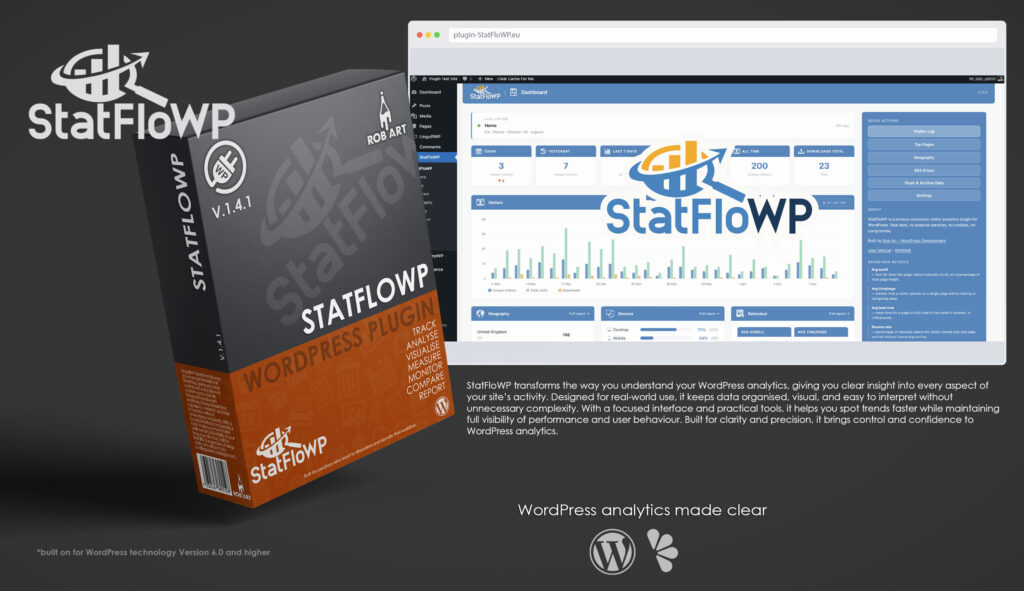
StatFloWP
Your WordPress analytics—tracking activity, revealing insights, and visualising data from one simple interface.
StatFloWP is a professional analytics and tracking plugin built specifically for WordPress, designed to give you clear insight into how your site is performing. It provides site owners, developers, and agencies with a structured, visual understanding of visitor activity, system behaviour, and performance trends—without relying on external platforms or fragmented data sources. Instead of treating analytics as something separate, StatFloWP brings it directly into the WordPress admin as an accessible, central workspace.
Designed for real-world use, StatFloWP focuses on clarity and usability. The dashboard presents key areas such as traffic, user behaviour, performance metrics, and activity trends as intuitive visual panels, allowing you to quickly understand what’s happening across your site. Complex data is simplified into meaningful insights, helping you identify patterns, anomalies, and opportunities without digging through raw logs.
At its core, StatFloWP delivers powerful tracking and visualisation tools. It captures site activity and transforms it into clear, interactive charts and summaries, making it easy to monitor growth, engagement, and performance over time. Whether you’re reviewing daily traffic or analysing long-term trends, it provides the context needed to make informed decisions.
Beyond analytics, StatFloWP is built to support ongoing optimisation. It highlights performance-impacting behaviours, unusual spikes in activity, and areas that may need attention, giving you a practical view of how your site is evolving. The system is designed to surface useful information without overwhelming you, keeping everything focused and actionable.
StatFloWP is built for those who want real visibility into their WordPress analytics. Whether you’re managing a single site or multiple projects, it provides a reliable, structured way to track, understand, and improve performance. With a clean interface and meaningful visualisations, it transforms analytics from scattered data into a clear and manageable part of your workflow.
Key Features
- Analytics Dashboard – Visual overview of traffic, activity, and performance in a clean, card-based interface.
- Live Tracking – Monitor visitor activity and site interactions as they happen.
- Traffic Insights – Understand user behaviour, trends, and engagement at a glance.
- Performance Metrics – Identify slowdowns, bottlenecks, and resource-heavy processes.
- Visual Charts – Clear graphs and data visualisations for quick interpretation.
- Heat & Activity Mapping (Pro) – See where users engage most across your site.
- Historical Data (Pro) – Track trends over time with structured data retention.
- Event Tracking – Capture key actions and interactions across pages.
- Anomaly Detection – Spot unusual spikes or drops in activity quickly.
- Export Reports – Generate structured reports for analysis and sharing.
- Lightweight & Efficient – Runs without unnecessary overhead on your site.
- Professional Workflow Focus – Built for developers, agencies, and site owners who need clarity and control.
Requirements:
- Minimum WP Version: 6.0
- Minimum PHP Version: 7.4
- Internet Connection
- Free Version or Valid Licence for Pro Version
*Please note this plugin has the following built in languages: English
Plugin News
Happy to say we are in the process of making and deploying a dedicated support hub. Stay tuned for more details. Their will be links posted in the plugin as well as any known locations.
Changelog/Bugs
Changelog
StatsFloWP - Version History
Version 1.4.7
2026-05-27- ### Fixed
- - Compare page rendered as a completely blank screen when the Pro add-on was not installed — the Compare submenu callback lives in `pro/compare.php`, so the dispatcher had no handler to call. Added a free-mode stub that renders a proper Compare placeholder page with sidebar content explaining the Pro feature and an Upgrade to Pro button
- - Sidebar flowing below main content and a stray closing div on the Compare placeholder layout (iterative layout fixes through 1.4.6, 1.4.7, 1.4.8 consolidated here)
Version 1.4.5
2026-05-27- ## 1.4.5 — 2026-05-27
- ### Fixed
- - Native colour pickers (`<input type=\"color\">`) were rendered as a thin line under WordPress 7.0 — restored to the proper 48×30 swatch chip
- - Select dropdowns: added a custom chevron arrow, right padding, and 110px minimum width so the WP 7.0 native arrow no longer overlaps the option text
Version 1.4.3 Minor
2026-04-17- ### Fixed
- - Devices > Browser & Version chart: legend no longer deforms layout; capped at 4 version rows with overflow slice
- - Devices > Screen Resolution: classifier rewritten — correctly distinguishes Mobile Portrait, Mobile Landscape, Tablet, Ultrawide, and Widescreen by dimension and aspect ratio
- - Behaviour > Scroll Depth: percentage now calculated only from visits with recorded scroll data, excluding unrecorded/dropped visits from denominator
Version 1.4.2 Minor
2026-04-14- ### Changed
- - PRO module split: all Pro and Premium files moved from `includes/pro/` and `includes/premium/` into a unified `pro/` folder at plugin root; loader updated to glob `pro/*.php`
- - Pro-installer updated to unzip into plugin root with `pro/` folder structure
- - Security report template path updated to `pro/templates/security-report.html`
- - Languages folder added; `statflowp_backend.pot` created covering all admin-facing strings
Version 1.4.1 Minor
2026-04-12- ### Added
- **Visitor ID column** on Visitors page — anonymised 8-character hash prefix lets you spot repeat visitors without storing any personal data; column is sortable (Pro)
- **Visitor ID column** on Security Monitor attempts table — cross-reference attackers against known visitors
- **Whitelist action** on Security Monitor attempts — mark a failed attempt as \"not a threat\" to move it to a whitelist filter and remove it from the concern view (Premium)
- **Security PDF report** (Premium) — printable PDF covering total/failed/successful attempts, unique IPs, real account probes, top targeted usernames, most aggressive IPs, and recent attempts log
- **Security CSV export** (Premium) — full login attempts export with all fields; logs to report history
- **CSV delimiter setting** in Settings → General — choose comma (default) or semicolon (Excel Europe); applies to all CSV exports across the plugin
- **Live traffic map enhancements** (Pro/Premium) — scroll/pinch zoom, click-to-zoom on countries, click ocean to reset; city dots (Premium) flash on new arrivals and accumulate up to 50 locations
- **City column** in live traffic feed table (Premium)
- **Threat origin map enhancements** (Premium) — same zoom/click behaviour as the main geography map; city dots sized by attempt count with tooltip
- **Smart TV and Games Console device detection** — `sfw_parse_device()` now recognises WebOS, Tizen, Roku, Fire TV, Apple TV, PlayStation, Xbox, and Nintendo platforms
- **TV and Games Console icons** — `📺` / `🎮` emoji and `tv_blue` / `games_blue` SVG icon variants for device type display
- **Security quick action** on dashboard (Premium) — Security link added to Quick Actions alongside existing links
- ### Fixed
- Session duration always showing `—` — duration now recalculated on every session write using `TIMESTAMPDIFF`; display falls back to `updated_at − started_at` for legacy zero-duration rows
- 404 bot detection false negatives — zero-engagement visits (scroll=0, time=0, load=0) now classified as bot regardless of URL pattern
- Security Monitor chart rendering blank — JS index variable was `_` instead of `i` in stacked bar arrow function
- Manual flush archiving nothing — flush now correctly archives all rows when triggered manually, not just rows older than 30 days
- Settings General card label overflow — `white-space:normal` on `th`, description text reduced to 10px with tighter line-height
- ### Changed
- CDN expanded to \"CDN (Content Delivery Network)\" in Behaviour page slow-load recommendations
- Security attempts table columns reordered: Time, Username, Visitor, IP, Account, Status, User Agent, Action
Version 1.4.0 Major
2026-04-10- ### Added
- **Security Monitor page** (Premium) — dedicated submenu page with four tabs: Overview (D3 choropleth threat map with amber→red gradient, blue sea, green hover; stat cards; recent attack log), Brute Force, Credential Stuffing, and Live Log tables
- **Security alert email notifications** (Premium) — rate-limited HTML emails via `wp_mail` for four event types: brute force (>threshold failures from single IP), real account probe (known username targeted), possible compromise (successful login after recent failures), and credential stuffing (single username targeted from multiple IPs); all rate-limited via WordPress transients
- **Security Monitor settings card** (Premium) — retention period dropdown, brute force threshold input, track-success-logins checkbox
- **Security Alerts settings card** (Premium) — master enable toggle, recipient email input, individual enable/disable for each alert type
- **Compare page** (Pro+) — Period Comparison tab with four date pickers, six stat cards with change indicators, and a D3 dual-line chart (blue/amber) with top pages change table; Year on Year tab with period length selector auto-calculating the same period one year prior
- **New vs Returning visitors tab** (Pro+) — uses ip_hash comparison against pre-period visits to classify each visitor; per-day new/returning breakdown; six stat cards with progress bars; stacked D3 bar chart; source breakdown table
- **CSV export on Reports page** (Pro+) — exports for visits log, top pages, referrers, countries, and devices; shared period selector; all exports logged in the existing report history with the same badge/status pattern as PDF reports
- **MaxMind GeoLite2 automatic installer** — Settings → MaxMind tab: enter licence key, click Install, progress bar tracks download and extraction; uses `wp_remote_get` with `stream:true` and PHP `PharData` for tar.gz extraction without shell access; saves to `SFW_ARCHIVE_DIR` (one level above webroot); updates both `sfw_maxmind_license` and `sfw_maxmind_db_path` options; Manual Configuration section still available below
- **GeoLite2 sidebar notice** — amber sidebar card auto-injected on all plugin pages (via `sfw_subpage_footer()`) when the configured mmdb file is missing; includes a direct link to the MaxMind installer in Settings
- **Daily Aggregates purge card** in Settings — shows row count, table size (via `information_schema`), date range, and a calculated safe-purge-before date; date picker for purge cutoff; YoY safety warning if purging data within the comparison window; AJAX purge handler returns deleted row count
- **Dashboard trend percentage pills** (Pro) — replaces plain arrow indicators with coloured percentage pills: green for positive, red for negative, grey for no change; free tier retains arrow indicators
- ### Fixed
- Settings cards overflowing the right edge of the container — grid template changed from `1fr 1fr 1fr` to `repeat(3, minmax(0,1fr))`; `min-width:0` added to `.sfw-settings-card` and `.sfw-settings-card-body`; `word-break:break-word` added to card body
- `form-table th` labels wrapping to vertical single characters in narrow settings cards — added `white-space:nowrap; width:120px; min-width:120px` to card-scoped `form-table th`
- ### Changed
- Settings → MaxMind tab fully redesigned: Automatic Installer panel at top with progress bar and inline status, Manual Configuration section below
- Security Monitor enqueues on hook `statflowp_page_sfw-security` (submenu hook) rather than `toplevel_page_`
Version 1.3.0 Minor
2026-04-09- ### Added
- **Behaviour page** — overview with scroll depth funnel, time-on-page distribution, and load time traffic-light D3 charts; Scroll, Time, Load, and Sessions tabs; per-page behaviour tables (Pro); bounce rate by page chart (Pro)
- **404 page** — D3 horizontal bar chart with real vs bot colour coding; broken URL log with top referrer column; bot detection via UA and path pattern matching; external referrer outreach table with Find Contact and Copy Email tools (Pro); clear history button
- **Reports page** — DOMPDF PDF generation for Traffic Summary and 404 Error reports; date range selector; report history log with status badges; clear history button
- **Screen resolution treemap** (D3) on Devices page — resolutions grouped by category (Widescreen, Mobile Portrait, Mobile Landscape, Tablet, Ultrawide) with colour coding
- **OS two-column layout** on Devices page — inner donut for OS family, outer rings for version breakdown
- **Universal table sort** — all `.sfw-table` tables with `sfw-th-sort` headers now sort correctly; numeric-aware comparator handles counts, percentages, milliseconds, and duration strings; visitors.js paired-row sort preserved separately
- **User Manual modal** — full 18-section manual rendered from `/docs/manual.md` with internal anchor scrolling via table of contents
- **README modal** — plugin README rendered from `/README.md`; both modals accessible from dashboard sidebar
- **Icons** — SVG icons added to all page headers, dashboard stat cards, section titles, and device type rows
- **Behaviour charts** — three D3 charts on overview tab; traffic-light coloured Y axis labels on load chart; dropoff annotations on scroll funnel
- ### Fixed
- Behaviour chart labels clipping off right edge — increased right margin on time and load charts
- Load chart traffic-light dots overlapping Y axis text — replaced dots with coloured axis labels
- Table sort not functioning on Devices, Geography, Referrers, Pages, and Behaviour pages — sort logic was only in visitors.js; moved universal handler to admin.js
- Manual modal anchor scroll failing on headings with numeric IDs — replaced `querySelector(\'#id\')` with `querySelector(\'[id=\"id\"]\')` to handle CSS-invalid selectors
- `DOMContentLoaded` listener firing too late for footer scripts — replaced with direct call after DOM is ready
- ### Changed
- `Avg session duration` label shortened to `Avg. Session Dur.` on Behaviour overview to prevent card overflow
- Behaviour overview right chart margin increased from 30px to 90px
Version 1.2.0 Major
2026-04-09- ### New Features
- **Dashboard**
- Replaced Chart.js with local D3.js v7 (no CDN dependency) for all charts
- D3 grouped bar chart: Unique, Total and Downloads series with tooltips and responsive resize
- Chart time ranges: Today · 7 Days · 30 Days · 90 Days (Pro) · 12 Months (Pro) · vs Last Year (Premium)
- Today chart polls every 30 seconds, pauses when tab is hidden
- Saved range preference persists in localStorage, falls back gracefully on tier downgrade
- Trend arrows (▲▼) on stat cards in brand green / deep orange
- All stat cards converted to `.sfw-card-header` / `.sfw-card-body` blue header style
- Upgrade to Pro pill link in dashboard header (free tier only)
- DBDumpWP-style upgrade overlay: two-column modal, seat selector, Pro + Premium pricing, licence activation
- Lock SVG icons throughout (no emoji) for locked features
- Behaviour sidebar info block explaining avg scroll, time/page, load time and bounce rate
- DST-safe hourly chart using `DATE_ADD` with PHP UTC offset
- **Visitors Page** *(full rebuild)*
- D3 Sequences Sunburst (Kerry Rodden style): hover breadcrumb trail, equal-area arcs, centre percentage
- Path depth: 3 levels free, 6 levels Pro
- Tabbed layout: Visit Log · Downloads · Sources · Sessions
- Visit Log: flat view with expandable detail chips (browser/OS/lang/screen)
- Visit Log: By Session view — groups visits by session, expandable path sub-table showing every page with load/scroll/time
- Flat/By Session toggle persists per page load
- Column sorting on Visit Log and Downloads (Time, Source, Device, Country, File)
- Downloads tab: filtered view of file download events, separate CSV export
- Sessions tab: Pro-gated with upgrade prompt
- CSV export gated to Pro; free users see locked button triggering upgrade overlay
- Upgrade overlay included on Visitors page (and all subpages via shared footer)
- Sidebar: Journey Chart explanation, Visit Log view definitions, Tab definitions
- **Pages Page** *(full rebuild)*
- D3 horizontal bar chart replacing plain table for Top Pages
- Animated bars (staggered entry), hover tooltips, click bar to open page
- New tabs: Entry Pages (Pro), Exit Pages (Pro), Bounce Rate (Pro)
- Entry Pages: pages most commonly landed on first
- Exit Pages: pages visitors leave from most
- Bounce Rate: per-page bounce % with colour-coded indicators, minimum 3 entries threshold
- All Pages tab: fixed — now shows unique URLs with proper visit counts (was showing raw log)
- All Pages: sortable columns (visits, avg scroll, avg time, avg load)
- avg load time added to Top Pages query and tooltip
- Sidebar: chart explanation and tab definitions
- **Referrers Page** *(full rebuild)*
- D3 horizontal bar chart for By Source tab — each source type coloured distinctly
- D3 horizontal bar chart for Referrers tab with animated sort transitions (rank-based, object constancy)
- Sort toggle: By Visits / By Type — bars glide smoothly to new positions (750ms, 20ms stagger)
- New Performance tab (Pro): per-source engagement table — visits, avg time, pages/session, bounce rate, avg load
- Bounce rate colour-coded green/amber/red; ★ marks best-performing source
- Sidebar: tab definitions and source type explanations
- **Settings Page**
- New Dev Tools tab (local/development environments only)
- Seed Data tool: generates up to 2000 realistic fake visits across sessions for UI testing
- Configurable visit count (10–2000) and days back (7–365)
- Clear All Data button with confirmation
- Live row counts update after seed/clear
- **Global**
- Upgrade overlay available on all subpages via shared footer
- Upgrade to Pro link in all subpage headers (free tier)
- Lock SVG used consistently for all locked features — no emoji fallbacks
- `sfw_subpage_footer()` accepts `$sidebar_extra` parameter for page-specific sidebar content
- Dev seed data (`includes/dev/seed-data.php`) loaded conditionally on local/dev environments only
- ### Internal
- `sfw_get_chart_daily($days)` — generic gap-filling daily chart query
- `sfw_get_chart_12months()` — monthly bucketing, always returns 12 months
- `sfw_get_visits_grouped()` — sessions with nested pages for By Session view
- `sfw_get_session_count_in_range()` — distinct session count for grouped view pagination
- `sfw_get_entry_pages()`, `sfw_get_exit_pages()`, `sfw_get_page_bounce_rates()` — new Pro queries
- `assets/js/d3.min.js` — D3 v7.9.0 bundled locally
- `assets/js/visitors.js` — sunburst + session view interactions
- `assets/js/pages.js` — horizontal bar chart for Pages
- `assets/js/referrers.js` — animated sort-transition bar chart for Referrers
- `includes/partials/upgrade-overlay.php` — shared upgrade modal
- `includes/dev/seed-data.php` — dev-only AJAX seed/clear data tool
Version 1.1.6 Minor
2026-04-08- Console interceptor for app-specific error filtering
- entryPoints validator fixes (panels/entryPoint/entrypoint variations)
- Fix panels for entryPoints, icon-structure, manifest-order
- manifest-order validator checks Adobe recommended key order
- Icon formatting options (compact vs expanded)
- Auto re-validation after manifest fixes
- Status indicator: Waiting → Ready on project load
- Auto-timeout for status messages (3 seconds)
Version 1.1.2 Minor
2026-04-08- Universal Toolkit Layout System (`/lib/ui/toolkit-universal.css`)
- Consistent design language across all 9 toolkit tools
- Question Storm & Constraint Twist unified layout
- Constraint Twist accordion (single-open sections)
- Fixed header overlap with proper flex layout
- Token highlighting (blue bold) for dynamic values
- Removed legacy CSS files
- Free Mode access via licence modal
- Admin bypass fix — no re-validation after TTL expiration
- \"Licence\" spelling updated throughout UI
Version 1.1.0 Minor
2026-04-08- ### Added
- Pages page — D3 horizontal bar chart; sortable top pages and downloads tables
- Referrers page — source types, domains, and campaigns tabs with engagement metrics
- Behaviour data capture — scroll depth, time on page, and load time recorded per visit
- Session tracking — entry/exit pages, page count, and duration
Version 1.0.0 Major
2026-04-07- ### Added
- Dashboard — D3 visitor chart, live visitor card, stat cards, ping test, flush & archive
- Visitors page — full visit log with sortable table; downloads tab
- Activation splash and setup wizard
- Database schema — `sfw_visits`, `sfw_daily`, `sfw_sessions`, `sfw_404s`
- Bot filtering via User-Agent detection
- IP geolocation via bundled GeoLite2 database
- Download tracking for known file extensions
Bugs
StatsFloWP - Known Issues
- Export button – Toolbar Export button not sitting inline with date filter
- Upgrade overlay – Upgrade overlay missing on Visitors and all subpages
- CSV Misaligned button – Export CSV button misalignment — removed `margin-bottom` from `.sfw-date-filter` form
- Stray PHP Comment – stray PHP comments rendering as visible text under charts (missing `<?php` wrappers)
- Page Tabs – All Pages tab showing raw visit log with hardcoded "Visits: 1" instead of unique URL counts
- 12 Monthh Toggle – `fmtMonthLabel` not applied to 12m toggle — `draw()` now accepts `labelFn` parameter
- 12 Month Graph – 12 Months chart showing as a single block — switched to MySQL `DATE_FORMAT('%Y-%m')` bucketing with PHP gap-filling
- Dev Bypass – `sfw_is_pro()` dev bypass — all tier functions now delegate to `sfw_tier()` which checks `SFW_DEV_TIER` first
- DST Bug – DST bug in hourly Today chart — MySQL queries now use `DATE_ADD(visited_at, INTERVAL %d SECOND)` with PHP `DateTimeZone::getOffset()`
Updates
StatsFloWP - Latest Update
Release Notes:
- ### Fixed
- - Compare page rendered as a completely blank screen when the Pro add-on was not installed — the Compare submenu callback lives in `pro/compare.php`, so the dispatcher had no handler to call. Added a free-mode stub that renders a proper Compare placeholder page with sidebar content explaining the Pro feature and an Upgrade to Pro button
- - Sidebar flowing below main content and a stray closing div on the Compare placeholder layout (iterative layout fixes through 1.4.6, 1.4.7, 1.4.8 consolidated here)
Download:
Requires: WordPress 6.0+ · PHP 8.0+
Documentation and Tutorials
Additional Learning Resources
For Plugin specific Help & Documentation visit this page.
A detailed PDF User Guide is available for download using the link provided below. This document explains all key features and functions of the plugin, helping you become familiar with its tools and workflow so you can make the most of your creative process.
For hands-on demonstrations and walkthroughs, visit our YouTube channel, where a full series of video tutorials cover everything you need to get started with the app. These videos provide visual guidance, practical examples, and helpful tips to ensure a smooth and productive learning experience.
To stay updated with new tutorials, feature overviews, and upcoming releases, subscribe to the channel here: RobArt Illustration
PDF User Manual Link(s) English