
RobArt Update Guard
Your WordPress compatibility workspace—scanning, organising, and reviewing deprecated code risks from one simple interface.
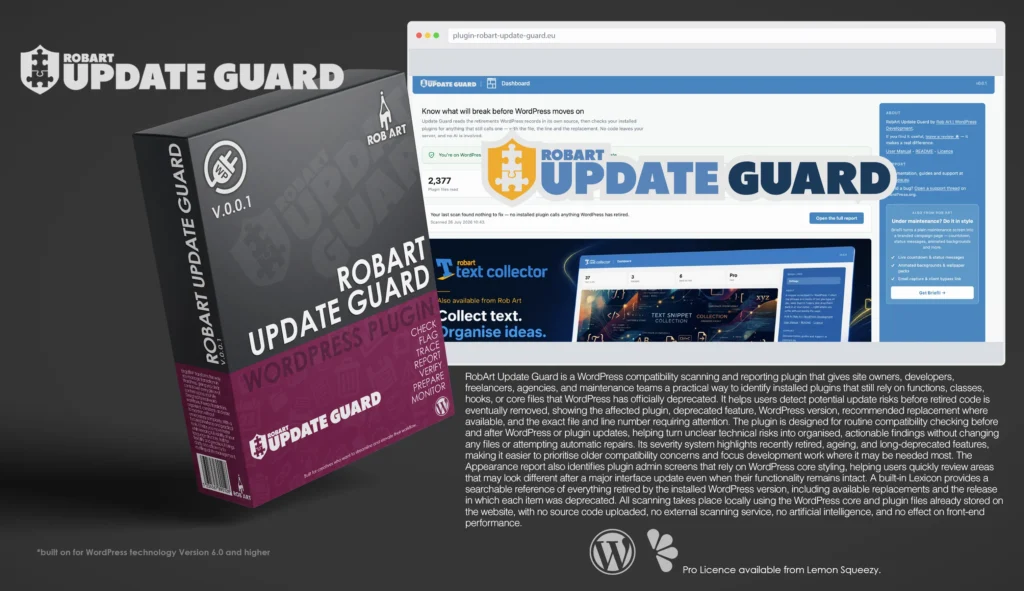
RobArt Update Guard is a practical WordPress compatibility scanner that helps site owners, developers, freelancers, agencies, and maintenance teams identify installed plugins that still rely on features WordPress has officially deprecated.
Deprecated code often continues working for several releases before it is eventually removed or changed. Update Guard highlights these dependencies before they become more serious compatibility problems, making it useful before and after WordPress core or plugin updates.
The plugin reads deprecation information directly from the installed copy of WordPress, then scans installed plugin files for matching functions, classes, core files, actions, and filters. Each finding shows the affected plugin, deprecated feature, WordPress version, suggested replacement where available, and the exact file and line number requiring attention.
The main Report screen summarises how many plugin files were scanned, how many plugins are affected, and how many individual calls were found. Results are grouped by plugin and categorised as Recent, Ageing, or Old, helping users prioritise long-deprecated code while considering the importance of each affected plugin.
An Appearance report identifies plugin admin screens that rely on WordPress core styling. These screens may look different after a major WordPress interface update even when their functionality remains intact, giving users a focused list of areas to visually review.
The searchable Lexicon lists everything deprecated by the installed WordPress version, grouped by release and accompanied by replacement information where available. It provides a useful reference for reviewing older code and investigating individual WordPress features.
Update Guard is completely read-only. It does not modify plugin files, attempt automatic repairs, or make compatibility decisions. It also avoids unreliable matches, third-party dependency folders, minified files, and compiled bundles where results could be misleading.
All scanning takes place locally using files already stored on the website. No source code is uploaded, no external scanning service or artificial intelligence is used, and nothing runs on the public-facing website.
Key Features
- Scan installed plugins for deprecated WordPress dependencies
- Read deprecation information from the installed WordPress version
- Detect retired functions, classes, core files, actions, and filters
- Identify supported deprecated jQuery calls
- Show the affected plugin and deprecated feature
- Display the WordPress version in which an item was deprecated
- Provide recommended replacements where available
- Show exact file paths and line numbers
- Group findings by affected plugin
- Display scanned files, affected plugins, and total findings
- Categorise findings as Recent, Ageing, or Old
- Run scans before or after WordPress and plugin updates
- Cache results locally for faster return visits
- Identify admin screens that rely on WordPress core styling
- Review deprecated items through a searchable Lexicon
- Browse deprecations by WordPress release
- Skip vendor folders, minified files, and compiled bundles
- Avoid unreliable class-method matches
- Make no changes to plugin or WordPress files
- Perform no automatic repairs
- Run only when requested from WordPress admin
- Place no processing load on the website front end
- Keep all scanning on the website’s own server
- Upload no source code
- Use no external scanning service or artificial intelligence
Requirements:
- Minimum WP Version: 6.0
- Minimum PHP Version: 7.4
- Internet Connection
*Please note this plugin has the following built in languages: English
Plugin News
Happy to say we are in the process of making and deploying a dedicated support hub. Stay tuned for more details. Their will be links posted in the plugin as well as any known locations.
Changelog/Bugs
Changelog
RobArt Update Guard - Version History
Version 0.0.2 Patch
2026-08-02- ### Changed
- - Cross-promotion links now point to each plugin\'s information page rather than a purchase page.
Version 0.0.1 Major
2026-07-26- ### Added
- - Report screen: scans installed plugins for calls to retired functions, classes, core files and actions/filters, with the exact file, line and replacement.
- - Appearance exposure screen: lists where installed plugins lean on WordPress admin styling.
- - Lexicon screen: searchable reference of everything the site\'s WordPress version has retired, grouped by release.
- - Deprecation index built from the site\'s own WordPress source; no network, no AI, no bundled libraries.
- - Free-only build on the Rob Art plugin skeleton (branded shell, onboarding, sidebar cross-promo).
Bugs
RobArt Update Guard - Known Issues
No known issues at this time.
Updates
RobArt Update Guard - Latest Update
Release Notes:
- ### Changed
- - Cross-promotion links now point to each plugin\'s information page rather than a purchase page.
Requires: WordPress 6.5+ · PHP 8.0+
Documentation and Tutorials
Additional Learning Resources
For Plugin specific Help & Documentation visit this page.
A detailed PDF User Guide is available for download using the link provided below. This document explains all key features and functions of the plugin, helping you become familiar with its tools and workflow so you can make the most of your creative process.
For hands-on demonstrations and walkthroughs, visit our YouTube channel, where a full series of video tutorials cover everything you need to get started with the app. These videos provide visual guidance, practical examples, and helpful tips to ensure a smooth and productive learning experience.
To stay updated with new tutorials, feature overviews, and upcoming releases, subscribe to the channel here: RobArt Illustration
PDF User Manual Link(s) English