
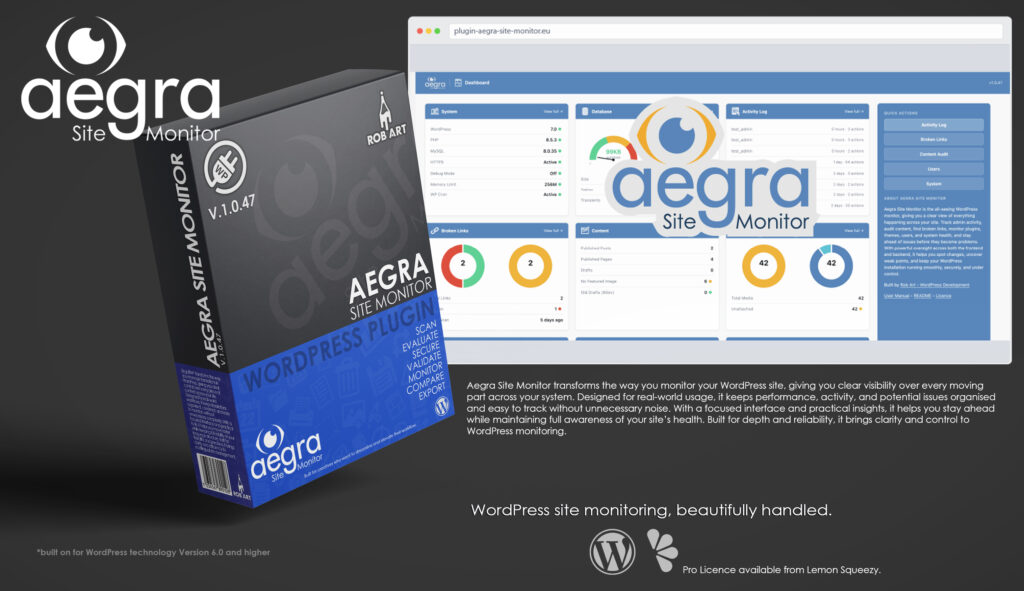
Aegra Site Monitor
Your WordPress system—monitoring performance, tracking activity, and keeping everything in check from one simple interface.
Aegra Site Monitor is a professional WordPress monitoring and analysis tool built to give you full visibility across your entire site. It provides site owners, developers, and agencies with a clear, structured view of system activity, performance, and underlying processes—without relying on scattered tools or guesswork. Instead of leaving key data hidden, Aegra Site Monitor brings everything into a single, accessible workspace within the WordPress admin.
Designed for real-world use, Aegra Site Monitor focuses on clarity over noise. The dashboard surfaces essential areas such as system health, performance metrics, user activity, plugin and theme status, and traffic insights through intuitive, easy-to-read panels. It highlights issues like slow queries, excessive autoload data, unusual activity patterns, or misconfigurations, with clear explanations that help you understand both the problem and the next step.
At its core, Aegra Site Monitor is about awareness and control. It continuously tracks what’s happening across your site, building a reliable picture of behaviour over time. Whether it’s monitoring backend changes, tracking frontend performance, or identifying trends in usage, it gives you the context needed to make informed decisions and catch problems before they escalate.
Beyond monitoring, Aegra Site Monitor helps you take action with confidence. It presents insights in a practical way, allowing you to pinpoint inefficiencies, optimise performance, and maintain a stable environment without digging through logs or external tools. The system is designed to support both technical users and site managers, making complex data accessible without oversimplifying it.
Aegra Site Monitor is built for those who want complete oversight of their WordPress environment. Whether you’re managing a single site or a portfolio of projects, it delivers a dependable, structured way to monitor, analyse, and maintain your system. With a clean interface and meaningful insights, it turns WordPress monitoring into a clear, manageable part of your workflow.
Key Features
- System Monitoring Dashboard – Visual overview of performance, activity, health, and key system metrics in a clean, card-based interface.
- Live Activity Tracking – Monitor user actions, system changes, and backend events as they happen.
- Performance Insights – Identify slow queries, heavy processes, and resource bottlenecks affecting your site.
- Plugin & Theme Monitoring – Track status, updates, conflicts, and potential issues across installed components.
- Traffic Overview – Understand visitor patterns, trends, and behaviour with clear, structured data.
- Health Analysis – Detect inefficiencies, misconfigurations, and performance-impacting elements.
- Security Awareness – Highlight unusual activity and potential risks with clear indicators and guidance.
- Data Logging (Pro) – Retain historical data for deeper analysis and long-term trend tracking.
- Alerts & Flags (Pro) – Surface critical issues quickly with priority-based notifications.
- System Insights – Turn complex data into practical, actionable information.
- Lightweight & On-Demand – Runs only when needed, keeping overhead minimal.
- Professional Workflow Focus – Built for developers, agencies, and site owners who need full visibility and control.
Requirements:
- Minimum WP Version: 6.0
- Minimum PHP Version: 7.4
- Internet Connection
- Free Version or Valid Licence for Pro Version
*Please note this plugin has the following built in languages: English
Plugin News
Plugin is now live on both sites!! Go get it!!
Happy to say we are in the process of making and deploying a dedicated support hub. Stay tuned for more details. Their will be links posted in the plugin as well as any known locations.
Changelog/Bugs
Changelog
Aegra Site Monitor - Version History
Version 1.0.55 Minor
2026-06-26- ### Added
- - Shared MaxMind location: `aegra_shared_maxmind_dir()` /
- `aegra_shared_maxmind_path()` resolve a neutral `uploads/maxmind-shared/`
- directory. The installer now writes GeoLite2-City.mmdb there so a single
- database is reused by any of this author\\\'s plugins that need GeoIP and
- survives the removal of any individual plugin.
- - `aegra_resolve_maxmind_path()` — single resolver, priority: shared location →
- StatFlo\\\'s DB (only while StatFlo is genuinely active) → Aegra\\\'s own DB. Both
- the runtime lookup and the Settings status use it.
- ### Changed
- - Visitor Map (Pro) rewired to run entirely on Aegra\\\'s own `aegra_traffic`
- table and its own GeoIP + map assets. New `wp_ajax_aegra_live_traffic`
- endpoint serves the live feed (country-level; Aegra stores no lat/lon, so the
- StatFlo-Premium city dots are not offered). Removed all StatFlo data-source,
- asset-URL, nonce and AJAX-action coupling.
- - Settings → MaxMind reports a `shared` source and labels the install button
- \\\"Re-download & Update\\\" when a database is already present.
- ### Fixed
- - `aegra_statflo_active()` gates StatFlo detection on the plugin\\\'s code being
- loaded (SFW_*/sfw_* present), so a removed StatFlo\\\'s leftover
- table/options/.mmdb no longer makes Aegra believe it is active — which
- previously hung the Visitor Map on \\\"Loading…\\\" and made Settings wrongly claim
- StatFlo\\\'s database was in use.
- - Pro feature-preview lock badge could be clipped at the top of short blurred
- teasers; the teaser wrappers now reserve enough height.
- - Media > Duplicate Filenames: the IDs column built `<a>` edit links then ran
- them through `esc_html()`, printing the raw markup as text. Switched to
- `wp_kses_post()` so the integer-ID, esc_url()\\\'d links render as clickable
- links again.
Version 1.0.54
2026-06-19- ### Fixed
- - The Pro \\\"Verify & Activate\\\" button did nothing because the licence card
- body (injected by the Pro plugin through the `aegra_licence_card_body`
- filter) was being passed through `wp_kses_post()` in the free settings
- view. `wp_kses_post()` strips `<input>` elements, so the licence-key field
- was removed from the DOM and the activation JS could not read it. The
- settings view now sanitises that injected markup with a custom `wp_kses()`
- allowlist that permits the form field and button (with their id attributes)
- while still escaping. No change was needed in the Pro plugin itself.
Version 1.0.53 Minor
2026-06-13- ### Changed
- - Pointed the \\\"Get Pro\\\" / upgrade links at the current checkout address
- after the commercial product listing was reissued. All upgrade buttons
- route through a single constant, so this is a one-line change with no
- functional impact on the free plugin.
Version 1.0.52 Patch
2026-06-11- ### Changed
- - The activity logger attaches a listener to WordPress core\\\'s own
- file-editor AJAX action so it can record admin file-edit attempts.
- The hook name is now composed from core\\\'s standard wp_ajax_{action}
- pattern plus the core action slug, rather than written as a single
- literal, to make unambiguous that the plugin observes a core-defined
- action and does not define or own that action name. No functional
- change — the listener fires on exactly the same core action as before.
Version 1.0.51 Minor
2026-06-09- ### Security
- - Added real nonce verification (against WordPress core\\\'s own nonces) to the
- two activity-logger observers that read POST data when core fires its
- attachment-save and theme/plugin-file-edit actions. Behaviour unchanged —
- still log-only, never blocks — but a verification call now guards every
- superglobal read so it passes review with phpcs annotations disabled.
- - Converted every remaining query to a fully prepared statement: %i for
- table/column identifiers, %s/%d for values, esc_like() in LIKE clauses.
- Optional WHERE filters are encoded as bound on/off toggles so each
- prepare() format string is a single literal with no interpolation.
- - Escaped a diagnostic output string that was emitted unescaped.
- ### Changed
- - Renamed local variables that collided with WordPress global names
- ($role, $path, $action, $status, $post, $id, $menu, $plugins, $s, $type,
- $cat, $plugin, $link, $m, $per_page, $current_user, $wp_version) to
- plugin-prefixed locals across the admin view files.
- - Wrapped filesystem path references (used by the file-integrity scanner and
- diagnostic panels) in wp_normalize_path() for cross-platform correctness.
Version 1.0.50 Patch
2026-06-07- ### Changed
- - Renamed the entire internal prefix argus/arguswp → aegra across the free
- tree and pro/: functions, classes, the AegraWP class + Aegra_Pro_Engines
- trait, constants, options, transients, cron hooks, internal action hooks,
- CSS classes/variables, AJAX actions and nonces, the admin page slug
- (?page=aegra-site-monitor), and the four custom DB tables. Zero argus/
- arguswp remain anywhere.
- - All table-name interpolation converted to the %i identifier placeholder in
- $wpdb->prepare() (WP 6.2+), replacing phpcs:ignore\\\'d raw interpolation.
- - Bumped \\\"Requires at least\\\" to 6.2.
- ### Fixed
- - Broken-link scanner classified internal links as external when scheme
- (http vs https) or www differed; now compares parsed hosts.
- - Toggle switch \\\"on\\\" state was blue-on-blue (invisible on blue card headers)
- → green.
- - Removed the leftover Refuge skeleton (refuge_beds_*/refuge_* listeners and
- their orphaned logging) and a stale REFUGE_MONITOR_FILE constant.
- ### Pro (separate package — not in the WordPress.org build)
- - Rebuilt the Full Link Scanner end-to-end (dead handlers → existing
- aegra_ scan handlers; results now read the broken-links table; correct
- timestamps).
- - Built the Export Builder dispatcher (CSV for all 8 datasets) and wired the
- 16 previously-dead Reports AJAX actions (Automated Scans, Scheduled
- Reports, API & Webhooks, Multi-site, Email Alerts, Export clear-log).
- - Fixed File Integrity (fatal + results display + per-area baseline counts),
- the Sessions/SEO filter tabs jumping to the wrong tab, Admin Analytics
- (dead table ref + period-filter strict-comparison), Security Alerts and
- Backend Advanced-Settings buttons (missing aegraSystem localize), and
- lingering \\\"Saved.\\\" status messages.
Version 1.0.49 Minor
2026-06-05- ### Changed
- - Removed every `phpcs:ignore` for `WordPress.Security.EscapeOutput` across the
- shipped tree. The icon print helper now escapes through the `wp_kses` SVG
- allowlist directly, so output is genuinely escaped — not suppressed.
- ### Fixed
- - SVG icons rendered at the wrong size: `wp_kses` lowercases attribute names,
- turning the case-sensitive `viewBox` into `viewbox` and breaking the icon\\\'s
- coordinate system. The canonical `viewBox` is now restored after escaping.
- - Status-card header icons and the PHP Info panel were being passed through
- `esc_html`, which printed their markup as literal text. Both now render.
- ### Removed
- - The unused leftover `REFUGE_MONITOR_FILE` constant, and remaining traces of the
- project\\\'s former name in the shipped code (a CSS class and dead uninstall
- cleanup). External third-party and WordPress-core hook names are unchanged.
Version 1.0.48 Minor
2026-06-02- ### Security
- - Output: every echoed variable/expression is escaped late with the
- context-appropriate function (`esc_html` / `esc_attr` / `esc_url` /
- `wp_kses_post`). SVG icons are returned through a `wp_kses` SVG allowlist.
- - SQL: user/value interpolation converted to `$wpdb->prepare()`. The only
- remaining interpolations are `$wpdb->prefix`-derived table names (which cannot
- be placeholders), each justified inline per PHPCS.
- - Input: admin request data is `wp_unslash()` + sanitised at the point of read;
- nonce values are sanitised before `wp_verify_nonce()`. Read-only logging that
- observes core-verified actions is capability-gated and annotated.
- ### Changed
- - `ini_set( \\\'phar.readonly\\\' )` is now scoped to the GeoLite extraction routine
- and the original value is restored immediately afterwards (no global change).
- - Renamed leftover `refuge_*` identifiers (carried over from earlier code) to the
- plugin\\\'s own `argus_*` prefix. (`wp_ajax_edit-theme-plugin-file` is a WordPress
- core hook the logger listens to, not a plugin function, so it is unchanged.)
- ### Fixed
- - Corrected the plugin header `Plugin URI` to a reachable URL.
- - File/directory references: plugin-owned paths use the plugin\\\'s constants;
- remaining `ABSPATH`/`WP_CONTENT_DIR`/`WP_PLUGIN_DIR` references are intentional
- monitor diagnostics/scans and are justified inline.
Version 1.0.13 - 1.0.47 Major
2026-05-02- ### Renamed & repositioned
- - Renamed `ArgusWP` → **Aegra Site Monitor** (dropped the trademark-risky name;
- added a descriptor stating the plugin\\\'s purpose)
- - Main file, text domain, slug, and all readme/manual references aligned to
- `aegra-site-monitor`
- - Plugin-header `Author:` set to `robword` (the WordPress.org account); on-screen
- \\\"Rob Art | Illustration\\\" branding retained
- ### Free / Pro architecture split (Elementor model)
- - Relocated ~1,800 lines of Pro feature engines out of the free main file into
- `pro/engines-trait.php` (`trait Argus_Pro_Engines`), loaded via a `file_exists`
- shim that defines an empty stub trait when `pro/` is absent
- - Real licence engine confined to `pro/` — the free build ships no licence
- machinery, no server calls, and no key-entry UI
- - Tier detection in free build via `function_exists`-guarded fallbacks
- (`argus_get_tier()` returns \\\'Free\\\' when Pro absent)
- - Admin pages converted to a tab-injection filter seam
- (`apply_filters(\\\'argus_<page>_pro_tabs\\\', [])`); licence card / notification
- rows injected by Pro when present
- - Locked Pro controls removed from free; upsells are advert-only and link out
- - Added a \\\"Get Pro\\\" link on the Plugins screen
- ### WordPress.org audit fixes
- - Sanitised all raw `$_SERVER`/superglobal reads; `json_encode` → `wp_json_encode`
- - Escaped all output at the point of output
- - Moved generated files (MaxMind GeoLite2 DB) into the uploads directory with
- `.htaccess` + `index.php` guards; removed writes outside uploads
- - Removed inline scripts/styles where flagged; removed stray `.backup` files
- - Documented the optional MaxMind GeoLite2 external service in the readme
- - Wrapped `uninstall.php` cleanup and prefixed its globals
- ### Tooling
- - Regenerated `aegra-site-monitor.pot` (text domain aligned to slug)
- - Passes Plugin Check (including AI analysis) with no errors or warnings
Version 1.0.11 Major
2026-04-21- ### Fixed
- - Filter navigation: Campaigns & UTM, Advanced, Full Audit Trail, Admin Analytics, Orphaned Content, and Content Freshness filters now preserve correct page and tab on submit
- - Backend > Full Audit Trail select dropdowns: arrow no longer overlaps text
- - Traffic > Daily Views card now renders correctly on page load
- - Tab switcher now always activates first tab on load, preventing D3 chart width returning zero
- ### Changed
- - Dashboard > Activity Log capped at 8 entries
- - Traffic > Audience: countries now display full name with code beneath
- - Live Visitor Map: dots reduce in size as they age (in addition to fading opacity)
- - Plugins > Site Ecosystem tab: renamed from \\\"Detected Plugins\\\"; redesigned with stat cards, intent note, and detected-only checklist
- - Plugins > Other Plugins and Bookings snapshot cards: switched from table rows to stat cards
- - Reports: all empty-state log icons switched to blue versions
- - Reports > Multisite: instruction text updated; \\\"API & Webhooks\\\" is now a direct link to that tab
- - Frontend > Issues > Revision Bloat: \\\"Go to Tools\\\" button replaced with inline wp-config.php snippet and WP-CLI command
- - Media Library > Large Files: \\\"Bar\\\" column header renamed to \\\"Relative Size\\\"
- - Performance > Scripts & Styles: all four \\\"Bar\\\" column headers renamed to \\\"Relative Size\\\"
Version 1.0.10 Minor
2026-04-19- ### Changed
- - Languages folder added; `arguswp_backend.pot` created covering all admin-facing strings
- - `pro/` folder structure confirmed at plugin root; loader path verified consistent with suite convention
Version 1.0.9 Major
2026-04-16- ### Plugin Licences — Registry Hook System
- - Introduced `argus_licence_registry` filter — any plugin can register itself for licence scanning without changes to ArgusWP
- - `argus_read_registry_licence()` reads the standard Rob Art plugin licence array format (`key`, `tier`, `expiry`, `activated_on`) from `wp_options`
- - Handles `lifetime` expiry correctly as active; falls back to `active` boolean flag for plugins that don\\\'t store expiry
- - Supports `synthetic` entries for dev bypass mode (no DB row, constants in `wp-config.php`)
- - Added `argus_licence_registry` filter hooks to: DBDumpWP (`dbd_licence`), LinguifiWP (`lfi_licence`), StatFloWP (`sfw_licence`), FliipsterWP (`flwp_licence`)
- - FliipsterWP dev bypass handled via synthetic entry — correctly shows Active/Pro even with no DB row
- - FliipsterWP `licence.php` standardised — storage now uses `expiry: lifetime` and `activated_on` to match family convention
- ### `argus_icon()` — SVG Fill Fix
- - Added stripping of all `<style>` blocks (not just those inside `<defs>`) to catch SVGs with top-level style tags
- - Added regex replacement of hardcoded `fill=\\\"#...\\\"` and `fill=\\\"rgb(...)\\\"` attributes on path/circle/rect/polygon/ellipse/line elements with `fill=\\\"currentColor\\\"`
- - Fixes transparent/invisible icons on blue card headers for SVGs that don\\\'t use `class=\\\"st0\\\"` — affects `history.svg`, `monitoring.svg`, and others with inline fill attributes
- ### Reports — All 8 Pro Tabs Built
- - **Email Alerts** — per-metric alert rules (9 metrics), threshold + notify email per rule, alert history log, Save All and Clear Log
- - **Scheduled Reports** — daily/weekly/monthly schedule, section picker (7 sections), send test, delivery log
- - **Export & CSV** — 10 dataset picker, date range, form-POST download trigger, export history log
- - **Alert Thresholds** — 16 configurable thresholds across 5 groups (Database, Performance, Security, Content, Updates), reset-to-defaults
- - **Automated Scans** — 6 scan types (broken links, content audit, security, DB health, performance, plugin updates), per-scan enable/frequency/email notify/Run Now, scan log
- - **Multi-site Monitor** — add remote sites by URL + API key, health score/updates/alerts columns, refresh/remove per site
- - **Client Reports** — agency branding (name, logo, accent colour, footer), section picker, send to client + preview HTML, delivery log
- - **API & Webhooks** — API key generation + revoke, webhook add/remove per event (8 events), REST endpoint reference table, request log
- - All modules: blurred Pro teaser + lock overlay for free tier; toggle switches corrected to `argus-toggle-switch` class
Version 1.0.8 Major
2026-04-15- ### Performance — AJAX & REST Latency (Pro)
- - New Pro tab logging all AJAX and REST requests with response time, status, and action/route
- - Enable/disable toggle + configurable slow threshold (default 200ms)
- - 4 summary tiles: Total Requests, Slow Requests, Avg Response, Slowest Call
- - Filter by type (AJAX/REST/All/Slow), sort by Newest/Slowest/Action A-Z, full-text search
- - Proportional response time bars; slow rows tinted amber; Clear log button
- ### Performance — Plugin Impact (Pro)
- - New Pro tab profiling each active plugin\\\'s frontend footprint per pageload
- - Tracks hooks fired, scripts/styles enqueued, and DB queries attributed per plugin
- - 4 summary tiles: Active Plugins, Avg Hooks/Plugin, Avg Queries/Plugin, Most Scripts
- - Filter by Has Hooks / Has Queries / Has Scripts; sortable table with inline bars
- - Colour legend: blue/amber/red thresholds for hook and query counts
- ### Performance — Core Web Vitals (Pro)
- - New Pro tab collecting real-user LCP, INP, CLS, FCP, and TTFB via JS beacon
- - `assets/js/cwv-beacon.js` — self-contained RUM beacon using native `PerformanceObserver` API, no external CDN
- - CLS uses correct session-windowing algorithm; INP tracks worst interaction per page
- - 5 arc gauge score cards with Google threshold colour-coding (Good/Needs Improvement/Poor)
- - Per-page p75 breakdown table + recent 200 measurements log with metric filter
- - Enable/disable toggle; `navigator.sendBeacon` with `fetch keepalive` fallback
- ### Plugins — WooCommerce Deep Dive (Pro)
- - New Pro tab with full WooCommerce analytics
- - Date range selector (7/30/90 days); daily revenue SVG area chart with order count overlay and crosshair tooltip
- - 4 tiles: Revenue, Orders (processing/failed sub-counts), AOV, Abandoned/Draft carts
- - Order status funnel, customer metrics (registered/guest/repeat), refunds
- - Top 15 products table, payment gateway bar chart, coupon performance table
- - WC Subscriptions block (shown only when `shop_subscription` post type present)
- ### Plugins — Forms & Submissions (Pro)
- - New Pro tab detecting and aggregating data from 6 form plugins (Gravity Forms, WPForms, Fluent Forms, Formidable, Ninja Forms, CF7)
- - Date range selector; combined daily trend SVG chart; per-form table with server-side sparklines
- - CF7 no-storage flag with Flamingo recommendation note
- - By Plugin summary table when multiple form plugins active
- - Plugin badge colour-coding per plugin
- ### Plugins — Email Delivery (Pro)
- - New Pro tab logging all `wp_mail()` calls and failures
- - SMTP configuration detection (WP Mail SMTP, Post SMTP, FluentSMTP) with amber warning for PHP mail()
- - Third-party SMTP plugin log aggregation (deduplicated via `max()` to avoid double-counting)
- - Daily sent/failed SVG chart; native log with status filter, subject/to search, clear button
- - Fix: `$range_raw` null-coalescing to prevent undefined array key warning
- ### Plugins — Plugin Licences (Pro)
- - New Pro tab scanning installed premium plugins for licence status
- - Reads licence data directly from `wp_options` (or `wp_wfConfig` for Wordfence) for 16 known plugins: Gravity Forms, ACF Pro, Elementor Pro, WPForms, Formidable Forms, WP Mail SMTP Pro, MemberPress, PMPro, Restrict Content Pro, WP Migrate DB Pro, SearchWP, SolidWP/iThemes Suite, Wordfence, WooCommerce Extensions, WPML, Rank Math Pro
- - Masked key display, status pill (Active/Expired/Unknown/Free), tier, expiry with colour-coded date
- - Filter by status + name search; expired licence warning banner
- - Deferred: `argus_licence_registry` filter hook for registering custom plugin licences — see `docs/PRODUCT.md`
Version 1.0.7 Major
2026-04-14- ### Pro Tab Sidebar Fix — Global
- - All Pro tab `data-sidebar` values now use `pro-{key}` prefix to match `data-tab=\\\"pro-{key}\\\"` in the tab bar
- - Fixed across all pages: Backend, Security, Performance, Media, Plugins, Reports, Frontend
- - Sidebar content now correctly shows/hides when switching to/from Pro tabs on every page
- - Added missing Sitemap tab sidebar entry on Frontend page
- ### Frontend — Full Link Scanner (Pro)
- - Complete internal and external broken link scanner reusing existing `Refuge_Broken_Link_Checker` infrastructure
- - Batch scan progress bar with polling loop (`refuge_start_link_scan` → `refuge_process_link_scan_batch`)
- - Summary tiles: Total Links, Broken, Broken External, Broken Internal — red when > 0
- - Status code distribution chips (404, 500, timeout, etc.)
- - Filter bar: status (broken/ok/all), type (internal/external), URL/anchor search
- - Results table: status badge, type pill, truncated URL, anchor text, source post edit link, last-checked, per-row Recheck button
- - Empty state with `broken_link.svg` at full colour
- - Pagination at 50 rows/page; free teaser with blur + lock overlay
- ### Frontend — Orphaned Content (Pro)
- - Detects published posts, pages, and media with no inbound internal links and no nav menu reference
- - Scans all `href` attributes in post content, resolves to post IDs via `url_to_postid()`
- - Nav menu items counted as inbound links (never flags menu-linked pages)
- - Media checked by attachment URL against all post content; only `post_parent = 0` candidates
- - Summary tiles: Orphaned Posts, Orphaned Pages, Orphaned Media, Total (amber when > 0, green all-clear)
- - Filter by type + title search; pagination at 50/page
- - Type/Page/Media pills (blue/green/pink); Edit + View action buttons
- ### Frontend — SEO Structure (Pro)
- - 4–5 summary tiles: No H1, Duplicate Titles, Duplicate Slugs, No-Index Posts, No Meta Desc (Yoast/RankMath only)
- - Issue selector tab bar — pill-style with amber count badges
- - No H1: scans `post_content` for `<h1` presence
- - Duplicate Titles / Slugs: groups with post ID edit links
- - No-Index: detects Yoast `_yoast_wpseo_meta-robots-noindex` and RankMath `rank_math_robots` meta
- - No Meta Desc: checks Yoast/RankMath description fields; only shown when SEO plugin detected
- - Green ✓ all-clear state per panel; free teaser with blur + lock overlay
- ### Frontend — Content Freshness (Pro)
- - Summary tiles: Total Published, Stale (configurable threshold), Updated This Month, Avg Age (days)
- - Age distribution bar chart across 6 buckets (< 30d → 2yr+), colour-coded green to dark red
- - Configurable stale threshold: 90 days / 180 days / 1 year / 2 years
- - Filter: stale only vs all content, post type, title search
- - Results table with age badge colour-coded by severity; pagination at 50/page
- - Empty state with dimmed `timer.svg`; free teaser with blur + lock overlay
Version 1.0.6 Major
2026-04-13- ### Settings Page — Redesign
- - Single-panel layout with cards — follows StatFloWP pattern; no more sub-tabs within General
- - Two 2-column grid rows: (1) Site Monitoring + Plugin Compatibility, (2) Monitoring Modules + Licence
- - All four grid cards stretch to equal height (`align-items:stretch`, `height:100%`)
- ### Settings Page — Monitoring Modules Card (new)
- - Three toggles: Activity log, Broken link scanning, Admin bar widget
- - Reads/writes `argus_monitoring` option array — previously only settable via the setup wizard
- - `save_settings()` handler updated to persist all three flags
- ### Settings Page — Licence Card
- - Green dot + \\\"Licence Activated\\\" + \\\"View Details\\\" modal when Pro active
- - Modal shows: Product, Licence Type, Expires, Activated On, masked key, Deactivate form
- - Dev bypass (`ARGUS_DEV_KEY` + `ARGUS_DEV_TIER=pro`) seeds fake display values and shows Pro state
- - Free tier shows upgrade prompt + key input + Verify & Activate AJAX button
- ### Settings Page — MaxMind Tab
- - When source is `statflowp`: shows \\\"Shared Database — StatFloWP\\\" card with MaxMind Account ID and masked licence key from StatFloWP\\\'s own settings (`sfw_maxmind_account_id`, `sfw_maxmind_license`)
- - Green/red status dot on licence key presence; red warning if credentials incomplete; amber fallback warning
- - Installer and Manual Path Override cards hidden when StatFloWP is the active source
- ### Compat Notice — Dismiss Persistence
- - \\\"Review in Settings\\\" intercepts click, awaits AJAX dismiss, then navigates — prevents notice reappearing on Settings page
- - Dismissed slugs stored per-user in `_argus_compat_dismissed` user meta
- ### Dashboard Widget — Unified
- - Three separate widgets merged into one \\\"ArgusWP Overview\\\" widget with ArgusWP logo in title
- - Five sections: DB Health, Recent Activity, Broken Links, Updates, Security — each with blue section header
- - Updates section: pending plugin/theme/core updates via `get_site_transient`
- - Security section: today\\\'s failed login count (from `argus_failed_logins_YYYY-MM-DD` transient) + admin user count
- ### Activity Logger
- - `log_login_failed()` now increments daily transient `argus_failed_logins_YYYY-MM-DD` used by dashboard widget Security section
- ### Icons — Global Pass
- - System page: WordPress card uses `wp.svg`
- - Database Scheduled Scans module: `daily.svg`
- - Security page: Plugin & Theme Changes uses `plugins.svg`
- - Backend page: Users by Role → `user.svg`; Active vs Inactive → `active_inactive.svg`; Active Plugins → `active.svg`; Inactive Plugins → `inactive.svg`
- - Frontend/Content page: Content by Status + Content by Type → `content.svg`; Issues Breakdown → `issue.svg`; Missing Featured Images → `broken_image.svg`; 404 Page Status → `404.svg`; Site Structure + Sitemap Status → `file_system.svg`
- - Media page: Unattached Files, File Types, File Type Breakdown, Large Files, Duplicate Filenames → `file.svg`; Recent Uploads → `upload.svg`
- - Performance page: Memory Usage → `memory.svg`; Memory Split → `memory_split.svg`; Quick Status → `tick.svg`; Server Resources → `server.svg`; Enqueued Scripts + Enqueued Styles → `enqueue.svg`
- - Plugins page: all tab cards → `plugins.svg`; Full Plugin Checklist → `checklist.svg`
- - Reports page: Health Score + Score Breakdown → `health.svg`; section cards dynamically mapped (System, Database, Security, Performance, Content, Media, Activity, Updates, Health); Upcoming Scheduled Events → `daily.svg`
- - Settings page: Site Monitoring + Monitoring Modules → `monitoring.svg`; Licence → `lock_open.svg`
Version 1.0.5 Major
2026-04-12- ### Media Page — Overview
- - Stat cards now flex (single row, no wrap) at 12px gap — all cards always on one line
- - Two new clickable stat cards: File Health Issues and Format Issues
- - \\\"Confirm used\\\" / \\\"Unmark\\\" AJAX actions wired — status cell and button update instantly without reload
- - Nonce passed to JS via `wp_localize_script` as `argusMedia` object
- ### Media Page — File Health Tab (new)
- - Missing on disk — attachment DB records with no corresponding file on server
- - Broken attachment metadata — images with no `_wp_attachment_metadata`
- - Missing intermediate sizes — images lacking sizes registered by current theme/plugins
- - Duplicate filenames — grouped with links to each attachment ID
- - Scanned on most recent 200 attachments; Pro upsell note triggers upgrade overlay (free tier only)
- ### Media Page — Formats Tab (new)
- - WebP / AVIF server support detection (GD + Imagick checked)
- - Unsupported MIME types — MIMEs in DB not in WP allowed list
- - Image dimension anomalies — flags >4000px, <100px, extreme aspect ratios
- - Audio/video missing metadata (duration/bitrate)
- ### Performance Page — Overview
- - Memory Split and OPcache Memory charts converted from donut to solid filled pie
- - Pie charts: no centre text, floating tooltip on hover (label + formatted MB value + %), right-side legend
- - `drawPie()` function added to dashboard.js with configurable format function
- - Two new overview stat cards: Overdue Crons and Heartbeat interval
- - Heartbeat: reads `WP_HEARTBEAT_PERIOD`, detects heartbeat-control plugins, warns if unmanaged default
- - Overdue crons: scans `_get_cron_array()` for past-due events, detail table in Options tab with real server cron command
- ### Performance Page — Quick Status
- - Added Heartbeat row: managed/unmanaged status with plugin name if controlled
- - Added Overdue Crons row: green if none, orange/red with count and advisory
- ### Performance Page — Autoloaded Options Tab
- - `auto_load.svg` icon (26px) added to Largest Autoloaded Options card header
- - Overdue cron events detail table added: hook, schedule, overdue duration (colour-coded), real server cron command
- ### Upgrade Overlay
- - Placeholder replaced with `assets/images/upgrade.jpg` — `height:auto` so image renders at natural proportions
- - Pro upsell notes across Media page now only show on Free tier and link \\\"ArgusWP Pro\\\" text to upgrade overlay
- ### Admin Notice Module (new — universal)
- - Self-contained `includes/admin-notice/` folder: `notice.php`, `notice.css`, `notice.js`
- - Branded left-accent bar style: plugin icon, name, message, CTA button, optional Upgrade to Pro button (Free tier only), Maybe later + × dismiss
- - Per-user dismissal stored in user meta — each admin manages their own state independently
- - Reappears after `REAPPEAR_AFTER` constant — set to `MONTH_IN_SECONDS` (30 days) for production
- - Dismiss animates: fade + height collapse, element removed from DOM, no page refresh needed
- - Universal — copy folder to any plugin, update 7 constants at top of `notice.php`, one `require_once` to activate
- - Protected against file deletion: wrapped in `file_exists()` check in main plugin file
- ### Product Planning
- - `docs/PRODUCT.md` Performance module table updated with full free/pro split
- - Memory usage histogram documented as Pro feature with full implementation plan (DB table, shutdown hook, D3 chart spec)
Version 1.0.4 Minor
2026-04-12- ### Traffic Page — Overview Tab
- - Added icons to card headers: `daily` (Daily Views), `top_page` (Top Pages), `referrer` (Referrers)
- ### Traffic Page — Audience Tab
- - Added icons to card headers: `devices` (Devices), `browser` (Browsers), `geography` (Countries — both states), `devices` (Device & Browser by Country)
- ### Traffic Page — 404s Tab
- - Added icon to card header: `404` (Recent 404 Hits)
- ### Security Page — Security Checks Tab
- - Added icon to card header: `security` (Security Checks)
- - Hero stats spread full width using `argus-stats-row` grid (removed `max-width:360px` constraint)
- - Added \\\"Total Checks\\\" as a fourth hero stat
- ### Pro Feature Overlays — Global
- - Replaced `🔒` emoji with `lock_blue.svg` icon (32px) across all 39 Pro module files and view files
- - Added `.argus-icon--xl` size class (32px) to admin.css
Version 1.0.3 Major
2026-04-11- ### Icons — Global Fix
- - `argus_icon()` now strips embedded `<style>` blocks from SVGs and replaces hardcoded `fill: #ddd` class references with `fill=\\\"currentColor\\\"` — fixes all 101 icons being invisible on coloured backgrounds
- - Base `.argus-icon` size increased to 26px; `.argus-card-header .argus-icon` unified to 26px
- ### Database Page — Overview
- - Added icons to all four Overview card headers: `database`, `health`, `table`, `top_page`
- - Table Distribution chart converted from donut to solid pie (no centre text), size increased to 200px
- - Pie + legend layout changed to row with legend stacked vertically and everything centred
- - Top Tables by Size and Autoload Size Breakdown bar charts now render full card width using `width:100%` SVG with viewBox
- ### Database Page — Health Indicators
- - Added: Post Revisions count (High badge if >500)
- - Added: Trashed Posts count
- - Added: Spam Comments count
- - Added: Trashed Comments count
- - Added: Collation Mismatches (flags tables whose collation differs from DB default)
- - Added: Failed Upgrade Routines (scans options for failed upgrade markers)
- - Added: DB Errors from debug log (counts wpdb references in last 500 lines; shows \\\"disabled\\\" if WP_DEBUG_LOG is off)
- ### Database Page — Options & Transients
- - Fixed autoload queries to support WordPress 6.6+ which changed `autoload=\\\'yes\\\'` to `autoload=\\\'on\\\'` — all three queries now check `IN (\\\'yes\\\',\\\'on\\\',\\\'1\\\')`
- - Added icons to all card headers: `auto_load`, `expired_transient`, `table`, `snapshot`, `query`
- ### Live Traffic Map (StatFloWP)
- - Fixed New York anchor X coordinate (398.5307 → 598.5307)
- - Test dot colour changed from red `#e74c3c` to bright orange `#ff6600` for visibility
Version 1.0.2 Major
2026-04-10- ### Backend Page (new)
- - New **Backend** admin page replacing separate Users and Plugin Health stubs
- - Four tabs: Users, Plugins, Themes, Admin Activity
- - **Users tab** — stat cards per role (zero-count roles filtered), role donut chart, full users table with last login (sourced from activity log)
- - **Plugins tab** — stat row, Active vs Inactive donut + Update Status donut, active/inactive plugin tables (updates flagged), must-use plugins, drop-ins
- - **Themes tab** — stat row, installed themes table with active badge, parent theme, update status
- - **Admin Activity tab** — recent admin sessions from activity log (user, role, login time, duration, action count, active status)
- - Four Pro tab stubs: Full Audit Trail, Plugin Conflicts, Settings Changes, Admin Analytics
- - Backend positioned under Security in menu
- ### Security Page (rebuilt)
- - Fully rebuilt as **Security & Auth Activity**
- - Five free tabs: Security Checks, Auth Activity, Plugin & Theme Changes, Administrators, Recent File Changes
- - **Recent File Changes** — filesystem scan of wp-content/wp-admin/wp-includes with 7-day lookback; PHP files highlighted as potentially suspicious
- - Four Pro tab stubs: IP Blocking, Brute Force Log, File Integrity, Alerts & Reports
- ### Traffic Page
- - Country flags via Unicode regional indicator characters (no external requests)
- - Device and browser breakdown table alongside country table (top 3 per country)
- - `get_country_breakdown()` method added to `Argus_Traffic_Tracker`
- - Devices and Browsers cards set to equal height
- - Country \\\"no data\\\" message now respects MaxMind geo availability status
- ### Database Page
- - DBDumpWP sibling plugin detection — early-return pattern matching StatFloWP behaviour; hides all DB data when DBDumpWP is active and shows redirect notice
- ### Developer Tools
- - Fake data seeder (`includes/dev/seed-data.php`) for Traffic page — local/dev environments only
- - Weighted random visits: pages, referrers, devices, browsers, countries, 8% 404 rate
- - Seeder creates `wp_argus_traffic` table if not present
- - Dev Tools card appears in Traffic sidebar on local/development environments
- ### Shared Tab System
- - Extracted tab switcher into `assets/js/admin.js` — single shared script enqueued on all ArgusWP pages
- - Removed three duplicate inline tab switcher blocks that were causing handler conflicts
- - Tab switching scoped to `.argus-tabs` container to prevent cross-page interference
Version 1.0.1 Minor
2026-04-08- ### Upgrade Overlay
- - Added \\\"Upgrade to Pro\\\" pill button to the top-right of the admin header bar (visible on Free tier only)
- - SVG lock icon inline — no external asset dependency
- - Full upgrade overlay modal: left column (gradient hero, seat selector for 1/5/Unlimited sites, dynamic pricing, Pro feature checklist), right column (licence key input + Verify & Activate AJAX, View Pricing & Buy CTA)
- - Overlay open/close with fade + scale animation, Escape key and backdrop-click to close
- - Licence verification wired to existing `argus_activate_licence` AJAX handler; reloads on success
- - `argus_upgrade_overlay()` helper function outputs overlay + inline JS from `argus_header()`
- ### Dashboard Sidebar — About Block
- - Expanded About ArgusWP sidebar section with \\\"Built by Rob Art • WordPress Development\\\" credit link
- - Added User Manual · README · Licence inline links (`argus-open-manual`, `argus-open-readme`, `argus-open-licence`) ready for future modal wiring
- - Added `.argus-sidebar-link` CSS class (white, underlined, opacity 0.9 → 1 on hover)
Version 1.0.0 Major
2026-04-07- ### Plugin Foundation
- - Renamed and rebranded from `refuge-system-monitor` to **ArgusWP**
- - New plugin header: name, description, author, URI
- - Defined `ARGUS_VERSION`, `ARGUS_PATH`, `ARGUS_URL` constants
- - Replaced `Refuge_System_Monitor` class with `ArgusWP` class
- - Registered top-level admin menu (`dashicons-visibility`, position 80) — menu label `ArgusWP`
- - CSS and JS assets enqueued only on ArgusWP pages
- ### Admin Interface
- - Full branding system: `--argus-*` CSS variables matching FliipsterWP/StatFloWP family (`#5184b3` blue, surface, border, radius, shadow)
- - `argus_header()` / `argus_footer()` helper functions — blue header, three-part footer (version · credit · copyright), matching sibling plugin pattern
- - Blue sidebar full height (`align-self: stretch`) on all pages
- - Sidebar: section headings, descriptive text, action buttons with primary/secondary/danger variants
- ### Pages Built
- - **Dashboard** — hero pills + 3×3 card grid (see below)
- - **Activity Log** — rebranded from old view, argus CSS classes, filter bar, session accordion, clear log button in sidebar
- - **Broken Links** — rebranded from old view, stat pills, scan control with progress bar, filter bar, recheck per link
- - **Content Audit** — site structure (front page, blog, permalink), content counts by post type (published/draft/pending/trash)
- - **Users** — stat pills by role, full users table with role badges and edit links
- - **System** — WordPress info, PHP/server info, database info, active plugins list
- ### Dashboard — Hero Pills + Card Grid
- - 4 hero pills across top: Published Content, Broken Links, Users, Plugin Updates (colour-coded ok/warn/error)
- - 3×3 card grid, each card with blue header + \\\"View full →\\\" link:
- 1. **System** — WP version, PHP version, HTTPS, Debug mode — status dots
- 2. **Database** — D3 gauge (autoload KB), DB size, table count, transient count
- 3. **Activity Log** — last 4 sessions (user, time ago, action count)
- 4. **Broken Links** — D3 donut (ok/broken), total links, broken count, last scan
- 5. **Content** — published posts/pages, drafts, missing featured images, old drafts
- 6. **Media** — D3 donut (attached/unattached), total count
- 7. **Users** — D3 horizontal bar (by role), total users, admin count
- 8. **Performance** — page cache detection, object cache, autoload KB, memory limit
- 9. **Plugins & Themes** — D3 donut (ok/updates/inactive), active, updates, inactive counts
- ### D3 Charts
- - D3 v7 bundled locally (copied from StatFloWP — no CDN dependency)
- - **Donut** — fixed 140px, hover interaction shows slice value + label in centre, zero-slice filtering, pad angle for gaps
- - **Gauge** — semi-circle speedometer for DB autoload (green/amber/red zones, needle, value label inside arc)
- - **Horizontal bar** — users by role, fixed width, track + fill + label
- - All chart data passed via `wp_localize_script` from PHP
- ### Data Collected (Free Tier — Snapshots)
- - DB autoload size (KB), total DB size (MB), table count, transient count
- - Link scan stats (total, broken, internal/external broken, last scan)
- - Media counts (total, attached, unattached)
- - Plugin counts (total, active, inactive, updates available) via `get_site_transient`
- - Content counts per post type with status breakdown
- - User counts by role
- - Cache plugin detection (8 common plugins checked)
- - System: WP version, PHP version, SSL, debug mode, memory limit, object cache
- ### Product Planning
- - `docs/PRODUCT.md` — full Free/Pro feature split across 10 modules
- - Rule: snapshot/list = Free · history/trends/alerts = Pro
- - Top Pro upsells identified: DB snapshots, full audit trail, scheduled scans, performance over time, alerts/reports
- ### Retained from refuge-system-monitor
- - `Refuge_Activity_Logger` — session-based activity tracking, all hooks intact
- - `Refuge_Broken_Link_Checker` — scan, batch process, recheck, stats
- - Admin bar DB health lights (green/red dots)
- - WordPress dashboard widgets (repointed to new admin URLs)
- - All AJAX handlers retained and rewired to new class
Bugs
Aegra Site Monitor - Known Issues
- Broken Links – States several broken links, but checking them shows all working.
Updates
Aegra Site Monitor - Latest Update
Release Notes:
- ### Added
- - Shared MaxMind location: `aegra_shared_maxmind_dir()` /
- `aegra_shared_maxmind_path()` resolve a neutral `uploads/maxmind-shared/`
- directory. The installer now writes GeoLite2-City.mmdb there so a single
- database is reused by any of this author\\\'s plugins that need GeoIP and
- survives the removal of any individual plugin.
- - `aegra_resolve_maxmind_path()` — single resolver, priority: shared location →
- StatFlo\\\'s DB (only while StatFlo is genuinely active) → Aegra\\\'s own DB. Both
- the runtime lookup and the Settings status use it.
- ### Changed
- - Visitor Map (Pro) rewired to run entirely on Aegra\\\'s own `aegra_traffic`
- table and its own GeoIP + map assets. New `wp_ajax_aegra_live_traffic`
- endpoint serves the live feed (country-level; Aegra stores no lat/lon, so the
- StatFlo-Premium city dots are not offered). Removed all StatFlo data-source,
- asset-URL, nonce and AJAX-action coupling.
- - Settings → MaxMind reports a `shared` source and labels the install button
- \\\"Re-download & Update\\\" when a database is already present.
- ### Fixed
- - `aegra_statflo_active()` gates StatFlo detection on the plugin\\\'s code being
- loaded (SFW_*/sfw_* present), so a removed StatFlo\\\'s leftover
- table/options/.mmdb no longer makes Aegra believe it is active — which
- previously hung the Visitor Map on \\\"Loading…\\\" and made Settings wrongly claim
- StatFlo\\\'s database was in use.
- - Pro feature-preview lock badge could be clipped at the top of short blurred
- teasers; the teaser wrappers now reserve enough height.
- - Media > Duplicate Filenames: the IDs column built `<a>` edit links then ran
- them through `esc_html()`, printing the raw markup as text. Switched to
- `wp_kses_post()` so the integer-ID, esc_url()\\\'d links render as clickable
- links again.
Download:
Requires: WordPress 6.0+ · PHP 8.0+
Documentation and Tutorials
Additional Learning Resources
For Plugin specific Help & Documentation visit this page.
A detailed PDF User Guide is available for download using the link provided below. This document explains all key features and functions of the plugin, helping you become familiar with its tools and workflow so you can make the most of your creative process.
For hands-on demonstrations and walkthroughs, visit our YouTube channel, where a full series of video tutorials cover everything you need to get started with the app. These videos provide visual guidance, practical examples, and helpful tips to ensure a smooth and productive learning experience.
To stay updated with new tutorials, feature overviews, and upcoming releases, subscribe to the channel here: RobArt Illustration
PDF User Manual Link(s) English