
SylentID Reader
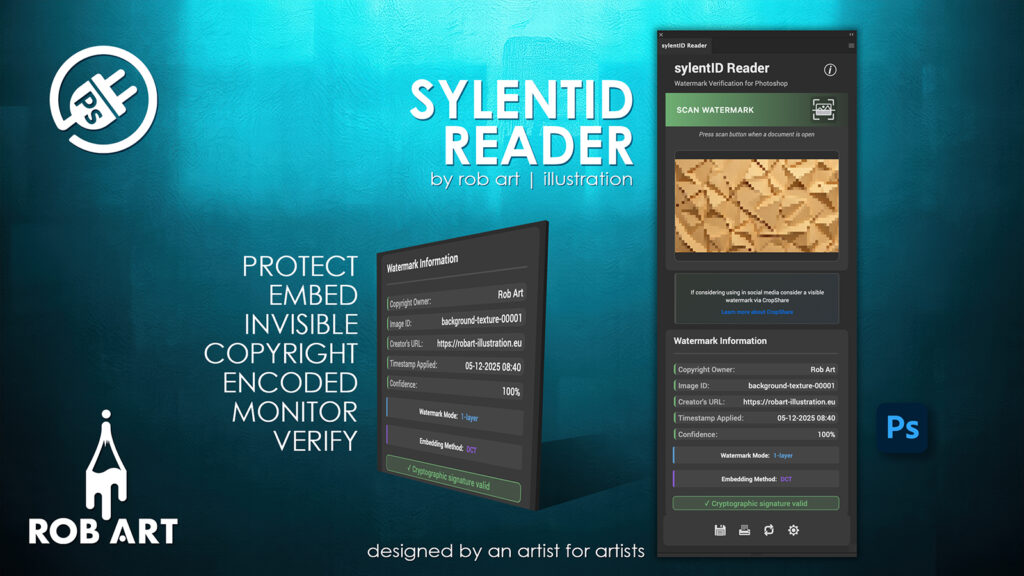
"Built by an artist for artists — Protect your work with invisible, reliable watermarking that stays with your images through every edit, export, and workflow."
Protect Your Images With Invisible Precision
sylentID is a professional digital-watermarking plugin for Photoshop that embeds invisible ownership data directly into your images. Using advanced steganography and industry-standard metadata techniques, it safeguards your creative work without altering how it looks — giving you silent, reliable protection in every file. sylentID – User Manual
Two Systems, One Secure Identity
sylentID combines robust pixel-based watermarking (DCT, LSB, or Combined) with XMP metadata injection to create a dual-layer protection system. Your ownership details, image IDs, timestamps, URLs, and optional cryptographic signatures are securely embedded and remain attached through editing, exporting, and cross-platform workflows. sylentID – User Manual
Built for Professional Photoshop Workflows
Designed as a streamlined UXP panel, sylentID integrates naturally into your existing process: embed watermarks with a single click, manage copyright registration data, preview changes, process multiple images at once, and configure your preferred defaults. Batch tools, timestamp options, and flexible sensitivity controls allow you to tailor protection for any project. sylentID – User Manual
Reliable, Consistent, and International
With full support for multi-language interfaces, metadata standards, and cross-platform operation, sylentID ensures your embedded information travels safely wherever your images go. Licence verification, local settings storage, and optional cryptographic signatures deliver a secure and dependable experience for professional creators.
- Invisible DCT/LSB/Combined steganography — professional-grade pixel watermarking
- Dual-layer protection — pixel watermark + XMP metadata fields
- Cryptographic signatures — verify authenticity and detect tampering
- Copyright registration integration — store official documentation in the file
- Batch processing — apply watermarks to entire folders or all open documents
- Adjustable sensitivity — control strength, subtlety, and performance
- Custom defaults — prefill owner details, URLs, embedding mode, registration data
- Metadata-safe — works seamlessly with Photoshop, Bridge, Lightroom, and XMP tools
- Real-time preview — adjustable quality for speed or accuracy
- Multi-language interface — flexible for international creative teams
- Local storage system — persistent settings for consistent workflows
- Gumroad licence verification — secure activation and updates
Requirements:
- Minimum PS Version: 25.0.0
- Internet Connection
- Valid Licence Key from Gumroad/Lemon Squeeze or an Adobe Cloud Account
*Please note this plugin has the following built in languages: English, English US, Français, Deutsch, Español, Italiano, Português, Ελληνικά and 日本語
Plugin News
- There is a projected release date for V.1.0.0 for January 2026.
- In an incredible series of events and the release of Photoshop 27, there was a break in the code that allowed XMP data to be written from the UXP environment. Mainly due to security and a new pipeline built to deal with Content Credential data. For that reason, the past 3 days has been used to find a solution. Luckily a new more robust data saving XMP engine has been designed and is being deployed into th app. So V 1.1.0 is still set for January release.
Changelog/Bugs
Changelog
SylentID Reader - Version History
Version 1.0.0 Patch
2025-12-29Bugs
SylentID Reader - Known Issues
No known issues at this time.
Updates
SylentID Reader - Latest Update
Download:
Requires: Adobe Photoshop 25.0.0 or later
Documentation and Tutorials
Additional Learning Resources
A detailed PDF User Guide is available for download using the link provided below. This document explains all key features and functions of the plugin, helping you become familiar with its tools and workflow so you can make the most of your creative process.
For hands-on demonstrations and walkthroughs, visit our YouTube channel, where a full series of video tutorials cover everything you need to get started with the app. These videos provide visual guidance, practical examples, and helpful tips to ensure a smooth and productive learning experience.
To stay updated with new tutorials, feature overviews, and upcoming releases, subscribe to the channel here: RobArt Illustration
PDF User Manual Link(s) English, English US, Français, Deutsch, Español, Italiano, Português, Ελληνικά and 日本語